Hive.
A content agency, run from your pocket.
- Role
- Product design, end to end
- Platform
- iOS, dark UI
- Scope
- 98 screens, 7 core flows
- For
- Content agency owners & ops
About
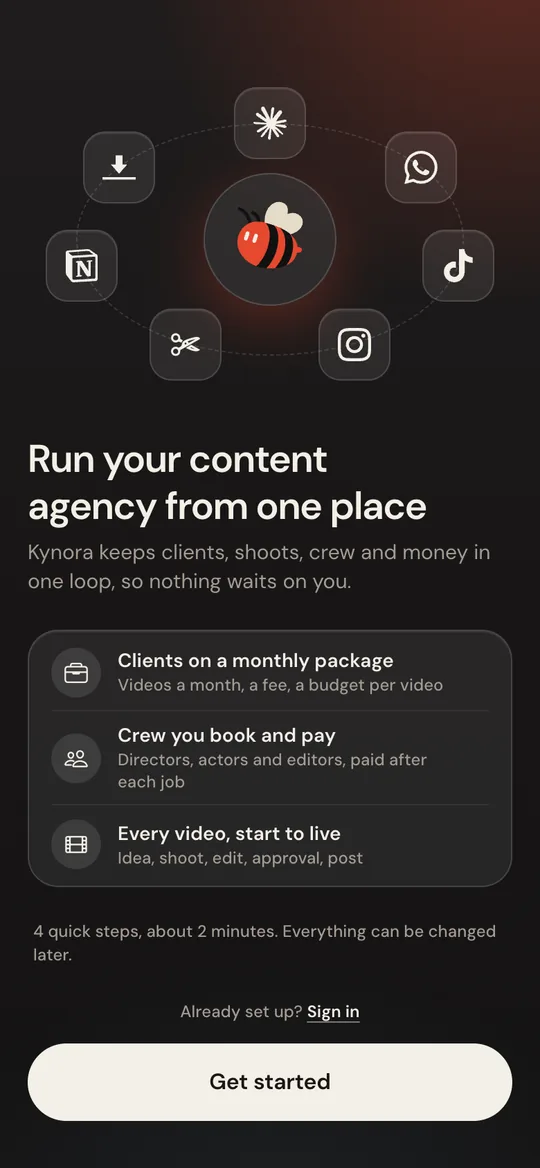
Hive is Kynora's app for content marketing agencies: the businesses that film, edit and post short-form video for cafés, gyms, clinics and restaurants every month. One agency juggles clients with monthly video quotas, shoots that need a director and actors, editors working through a queue, and crew who need paying.
Hive puts all of it on a phone, with an AI assistant that drafts the next video idea in a client's voice.
Objectives
- Open the app and know, in one glance, what needs you today.
- Move every video from idea → shoot → edit → client approval → scheduled post without leaving the app.
- Book a shoot and its crew in a few taps, with availability built in.
- Show the money: what's coming in, what crew are owed, and the margin.
- Make AI useful, not decorative: a draft you can edit, not a chat window.
The challenge
Agencies run on spreadsheets, WhatsApp threads and memory. The data is genuinely dense: per client a monthly quota, per video a status, per shoot a time, place and crew, per crew member availability, strikes and payouts. All of it had to fit on a 390-point-wide screen without becoming a wall of rows.
The approach
Every screen answers “what needs me?” first and shows everything else second. Work is grouped by who it's waiting on (on you, with clients, with crew) rather than by object type. Long jobs become short guided sheets, and every list has a designed empty, loading and full state.
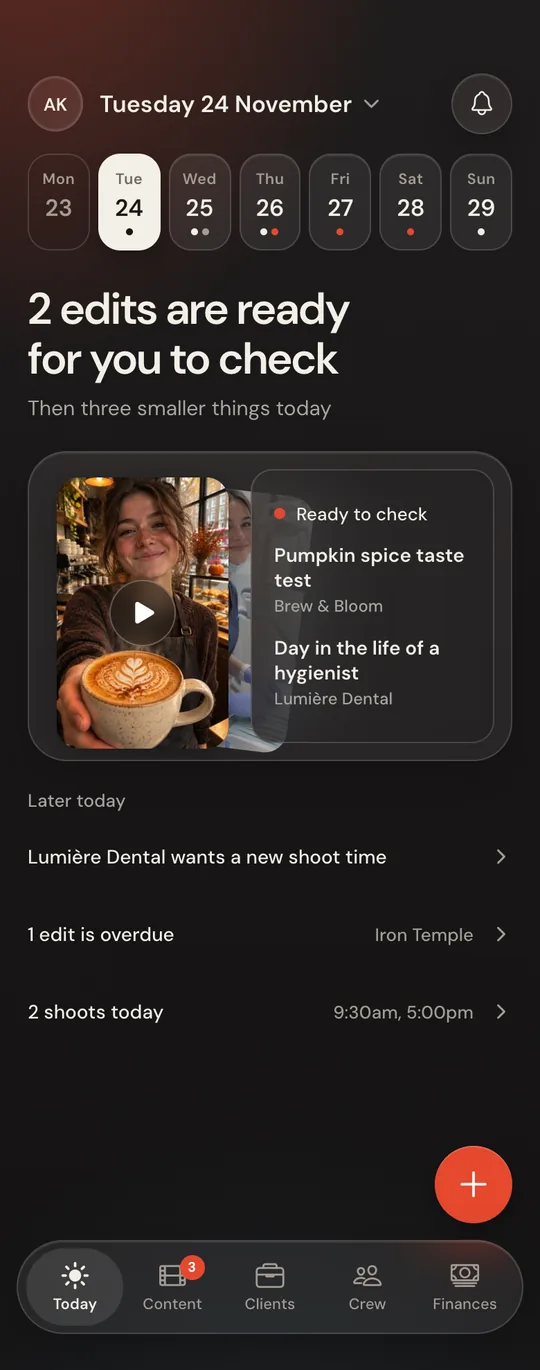
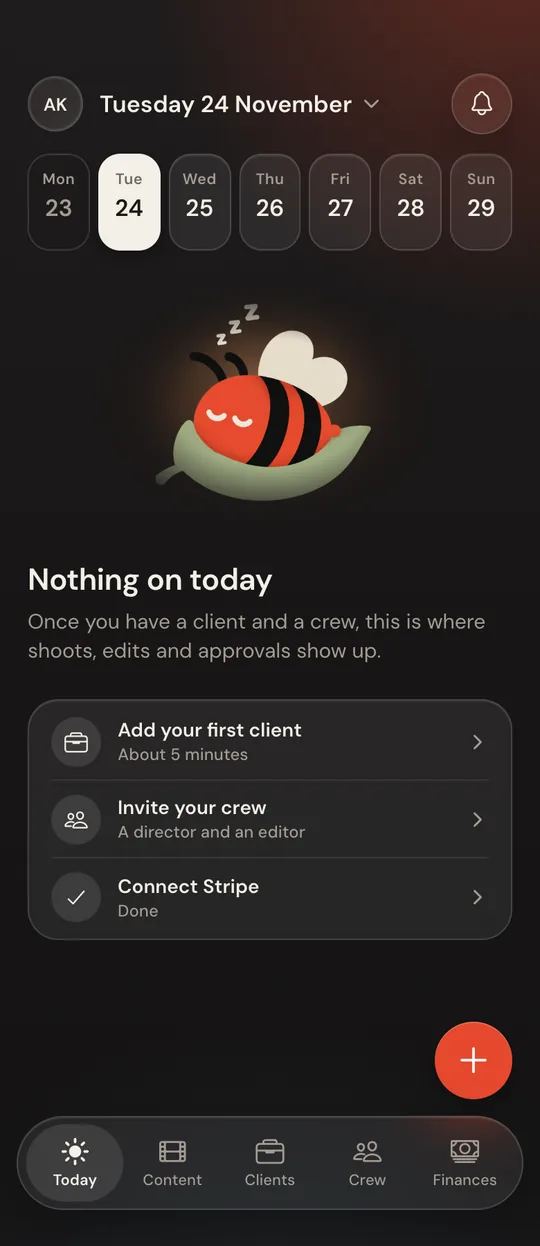
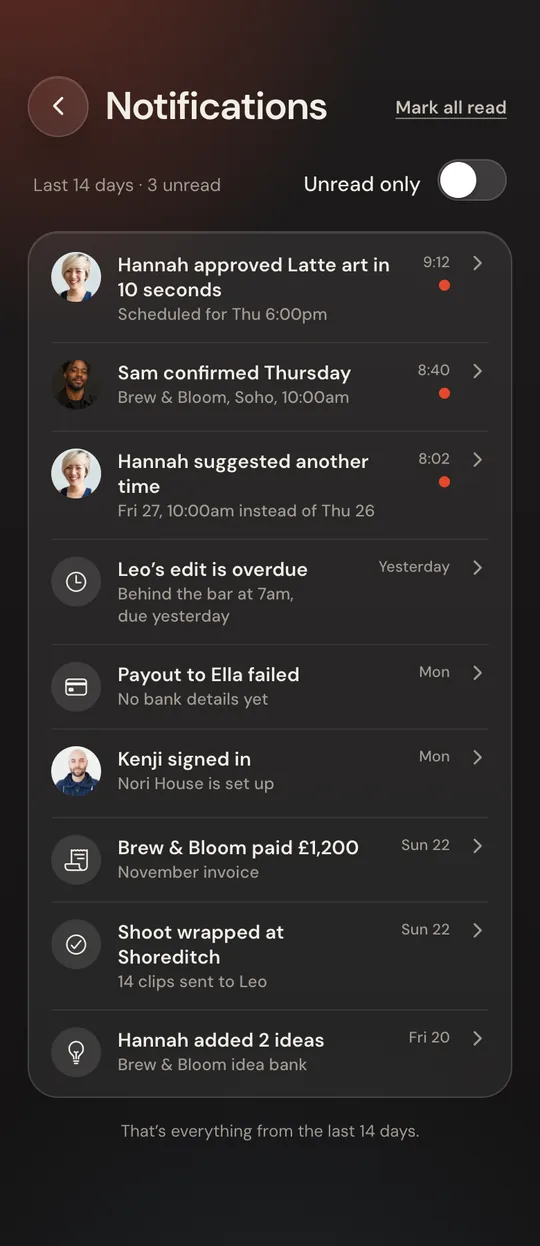
Open the app, know what needs you
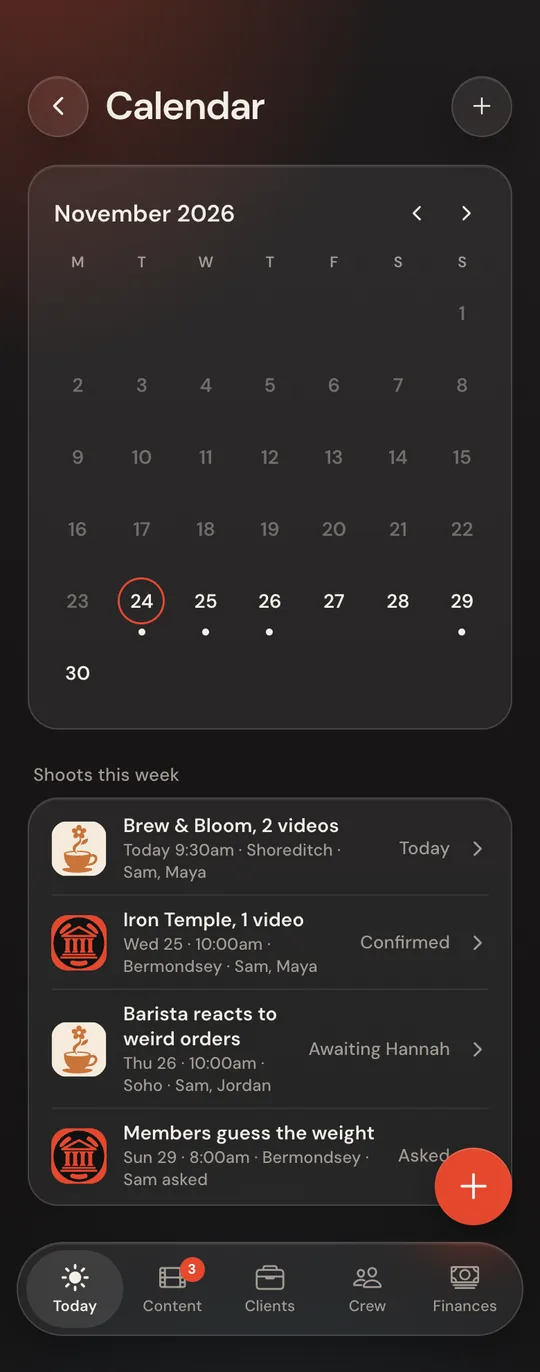
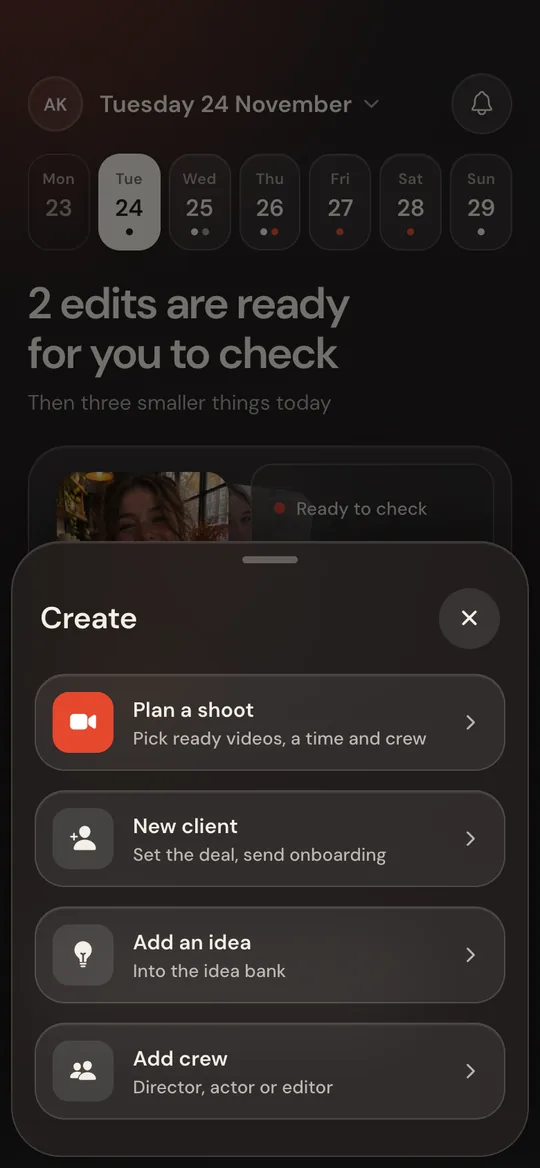
The home screen leads with the one thing that matters most (“2 edits are ready for you to check”), then the smaller things later today. A week strip keeps shoots in view.
- Status dots on the week strip show shoot days at a glance.
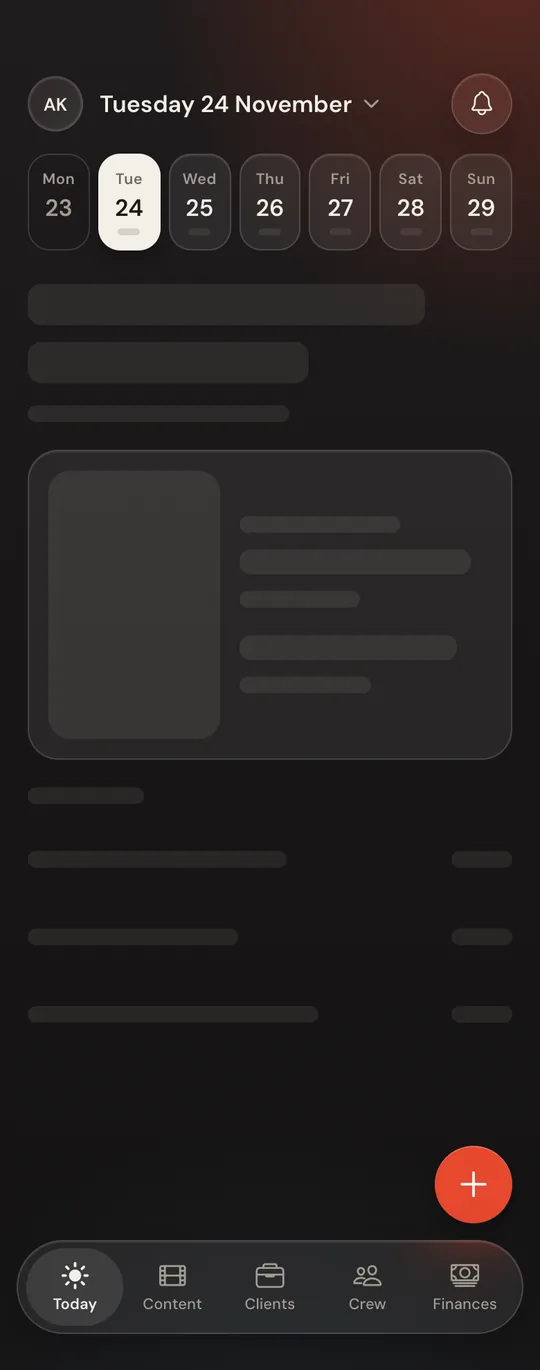
- Designed empty, loading and full states for every tab.
From raw edit to scheduled post
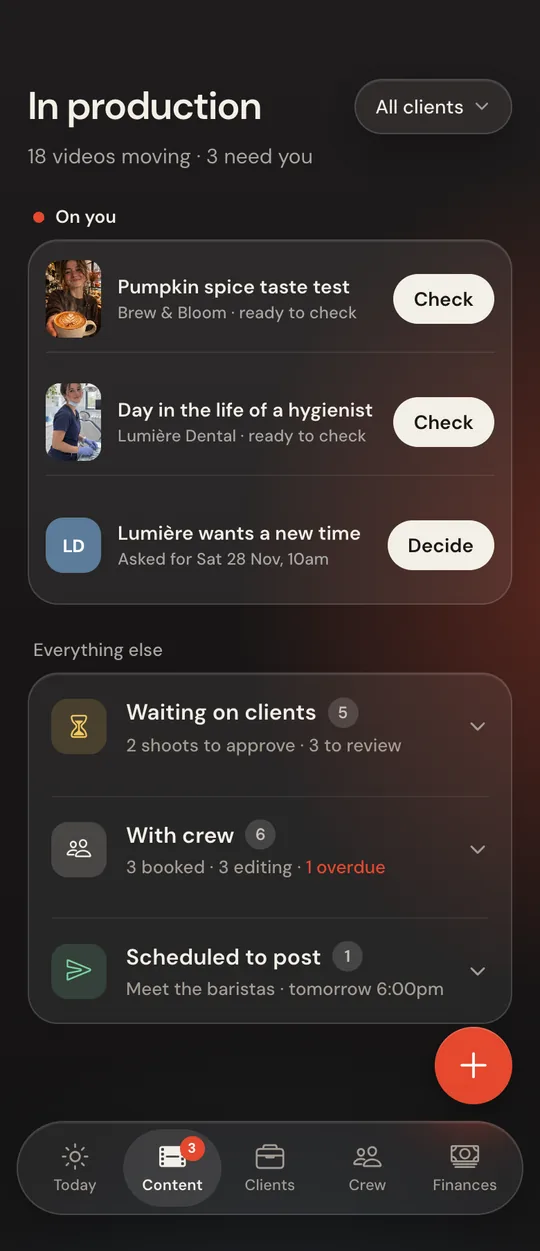
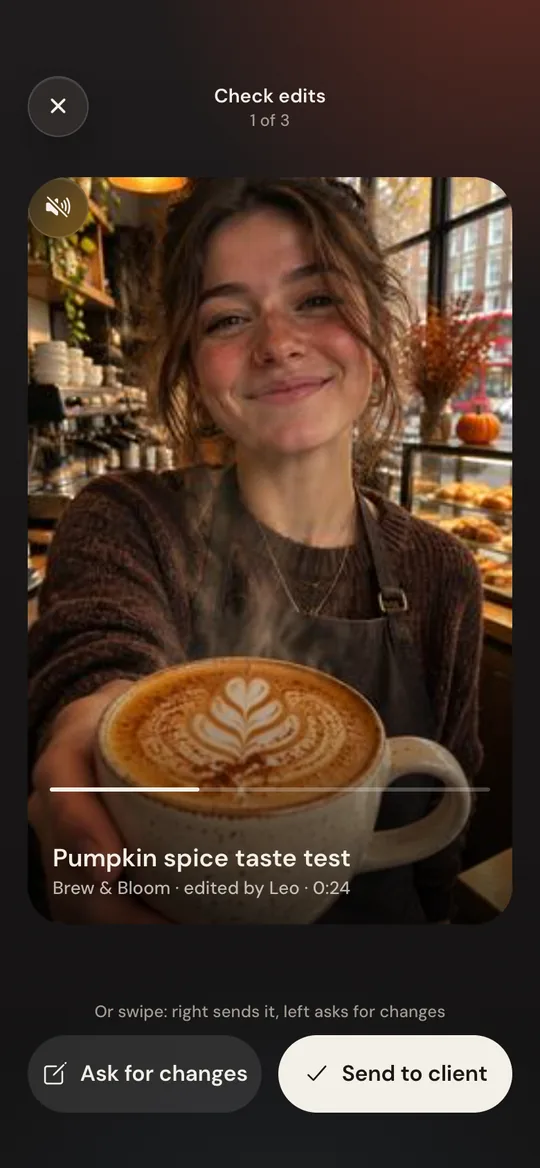
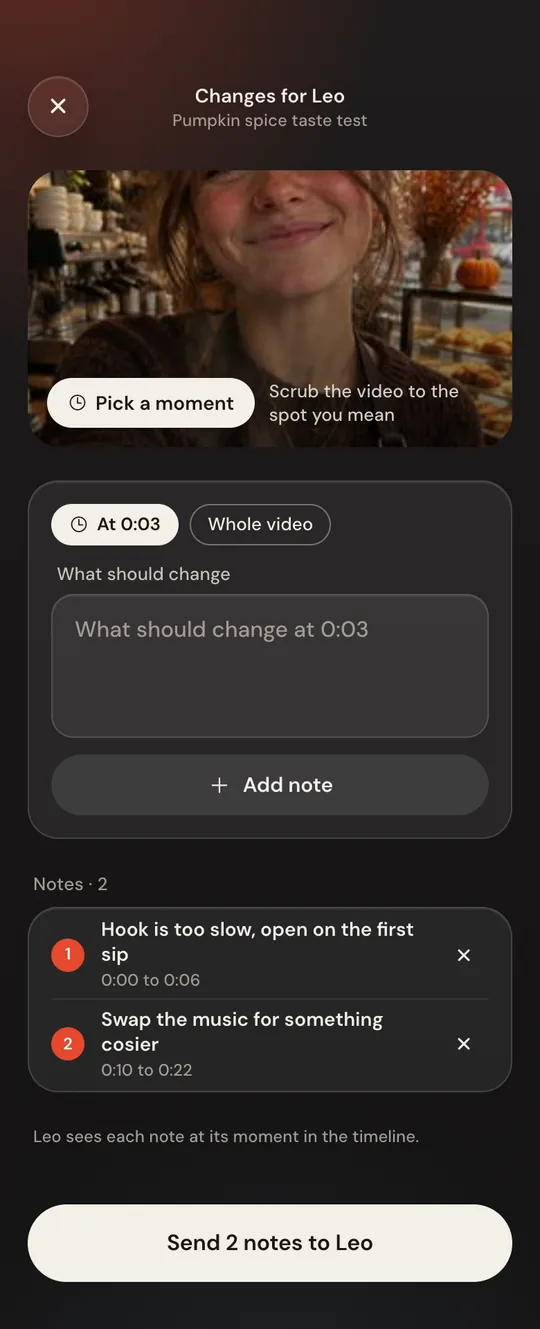
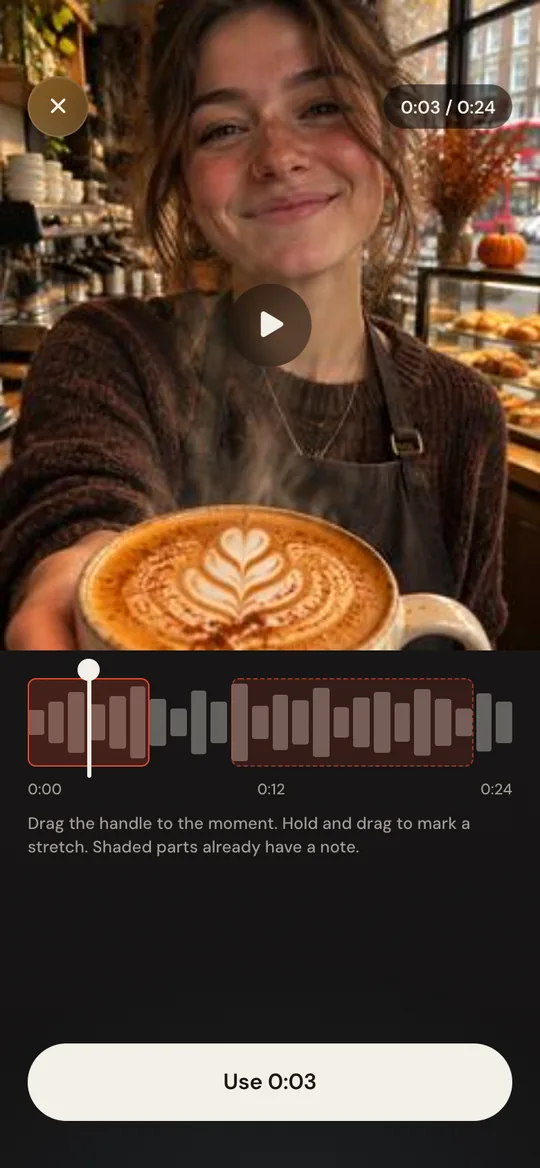
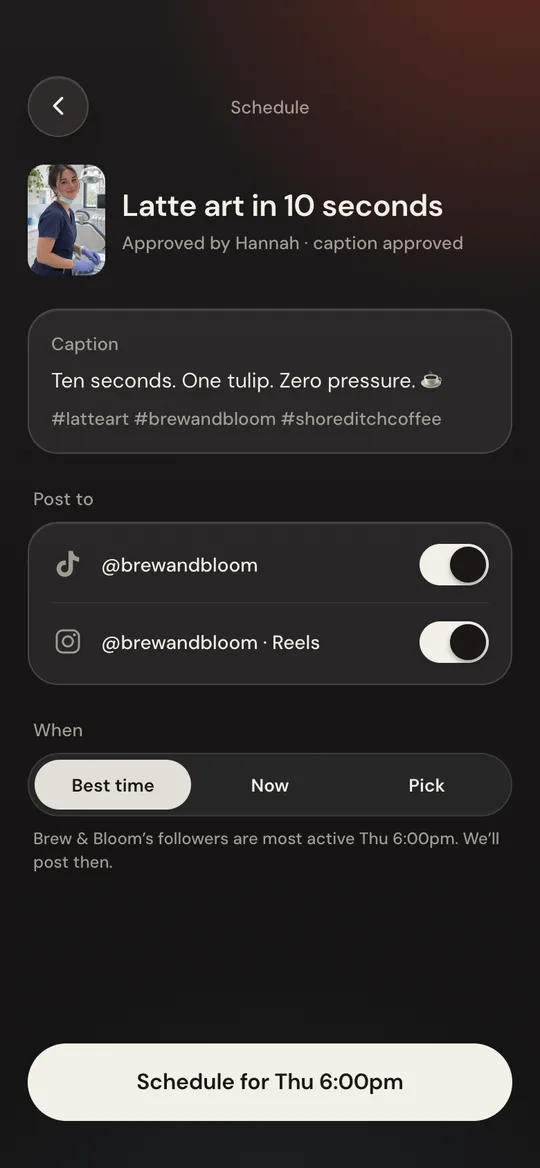
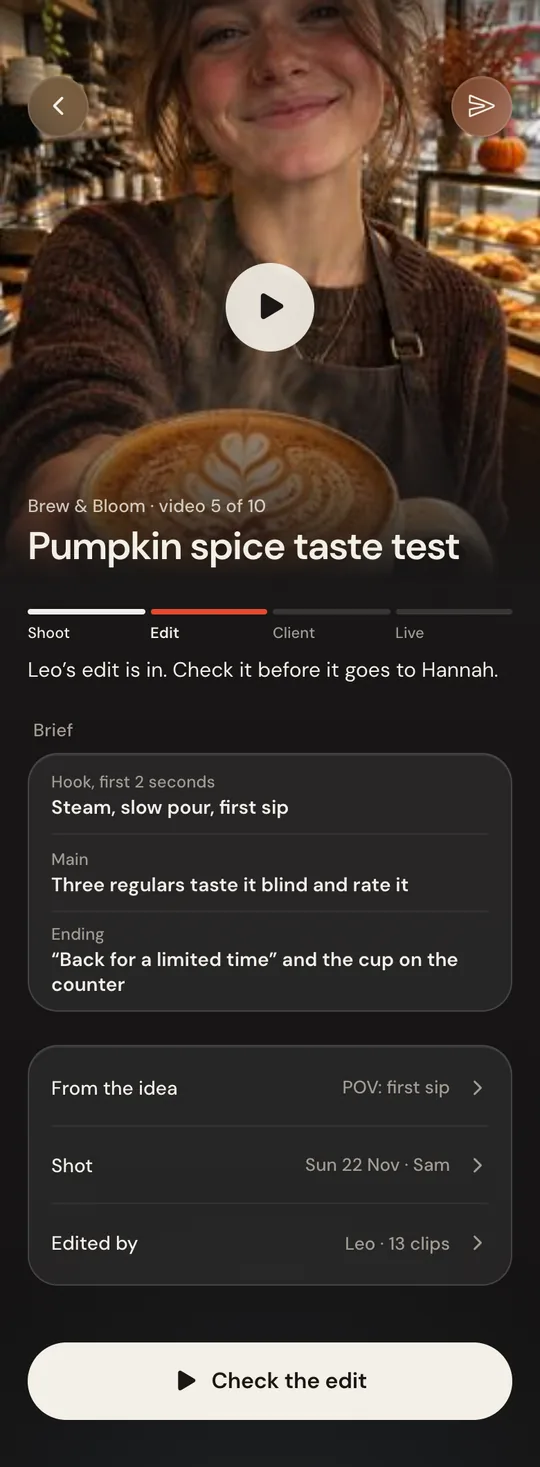
The Content tab sorts every video by who it is waiting on. Checking an edit is full-screen and swipeable: right sends it to the client, left asks for changes, and you can pin feedback to an exact moment in the video.
- A first-time swipe hint teaches the gesture once, then gets out of the way.
- “Pick a moment” turns vague feedback into timestamped notes for the editor.
AI that hands you a draft, not a chat
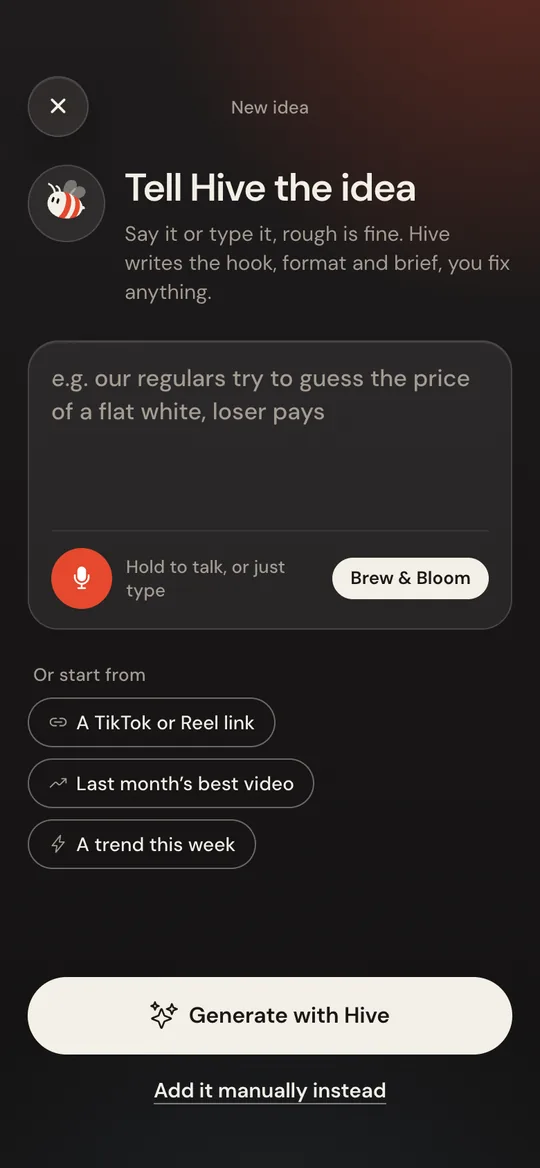
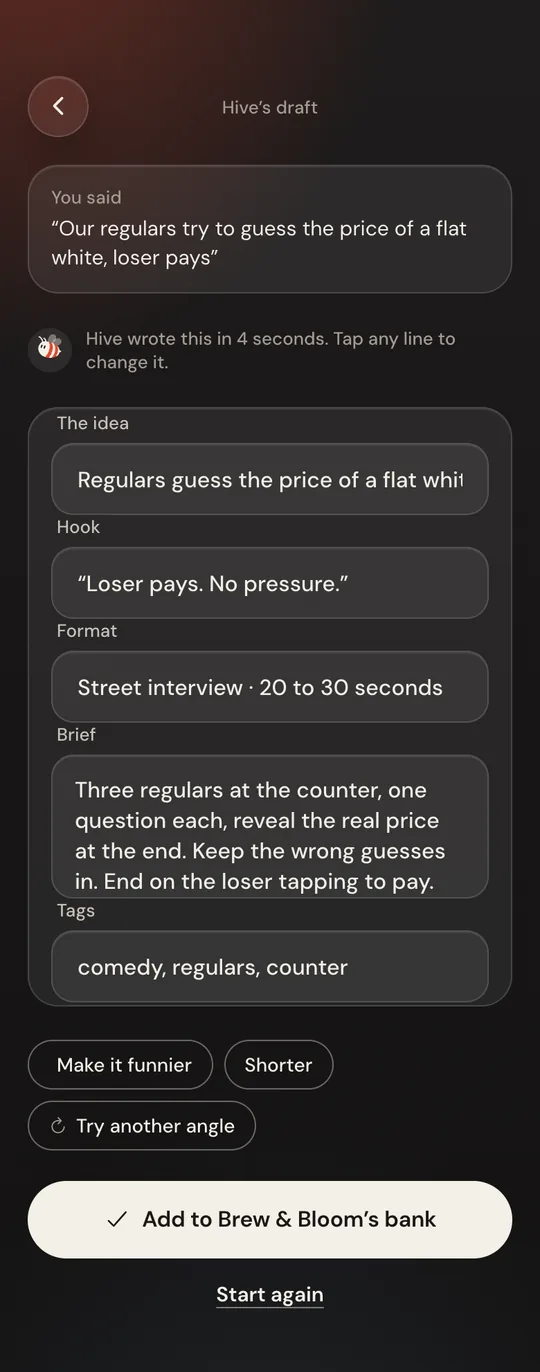
Start an idea by hand or let Hive draft it. You give it one line; it returns the idea, hook, format and brief, each line tappable to change, with quick nudges like “Make it funnier” or “Shorter”.
- Every field stays editable. The AI never gets the last word.
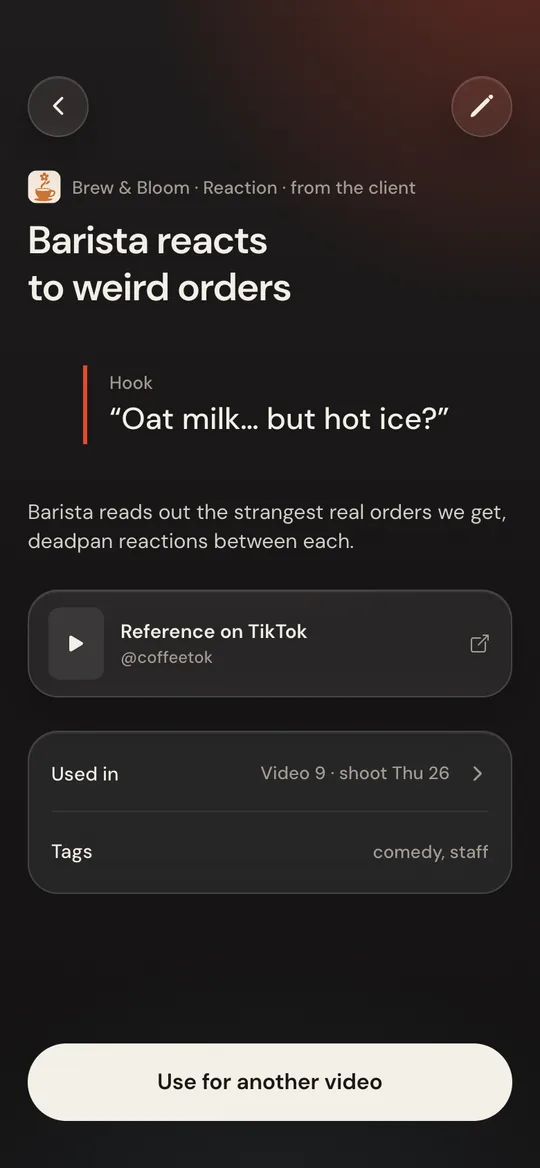
- Ideas save straight into the client's idea bank.
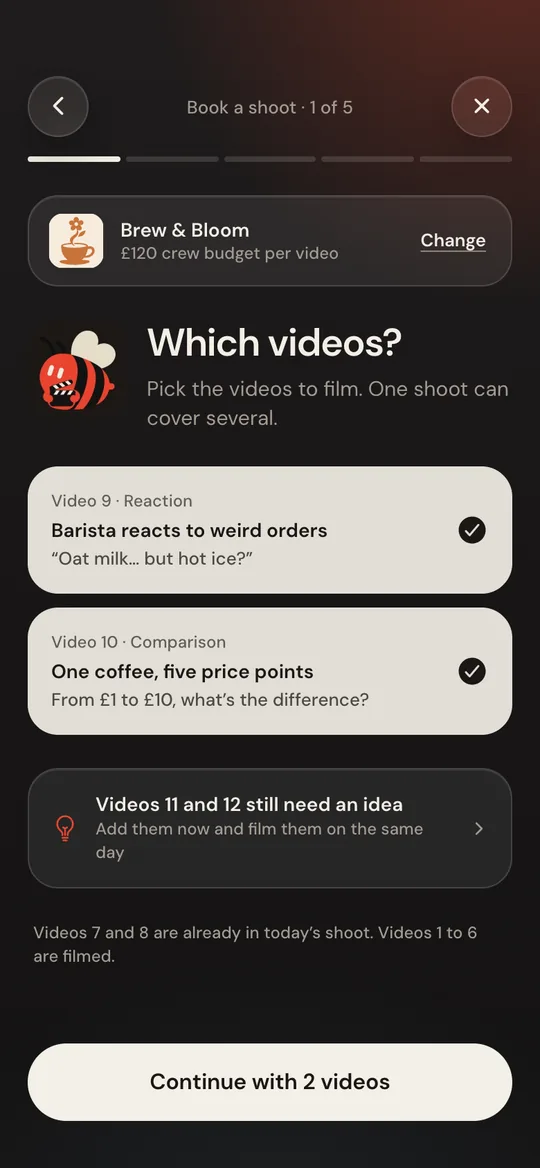
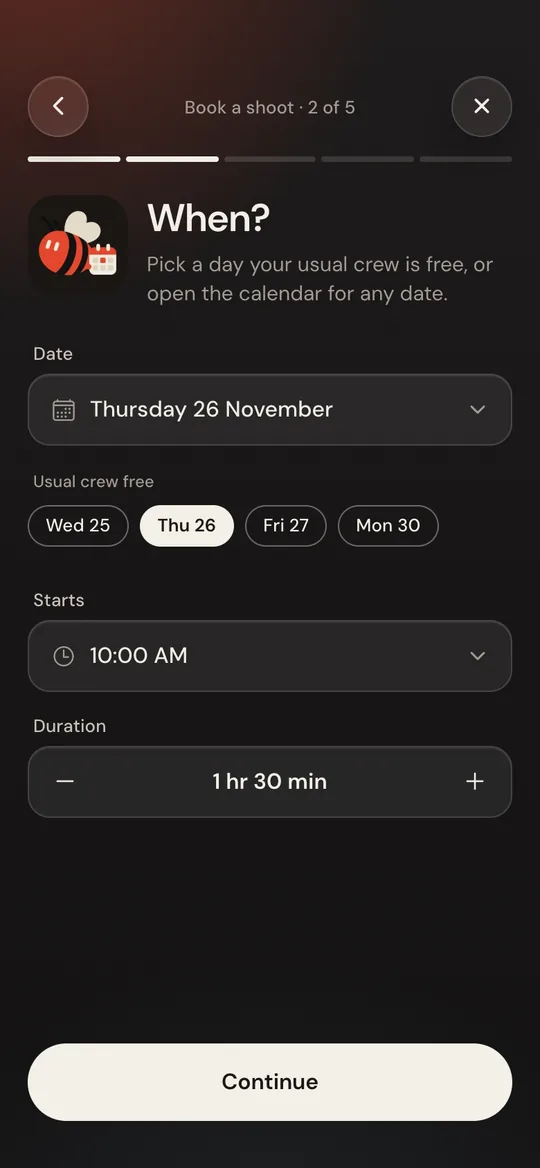
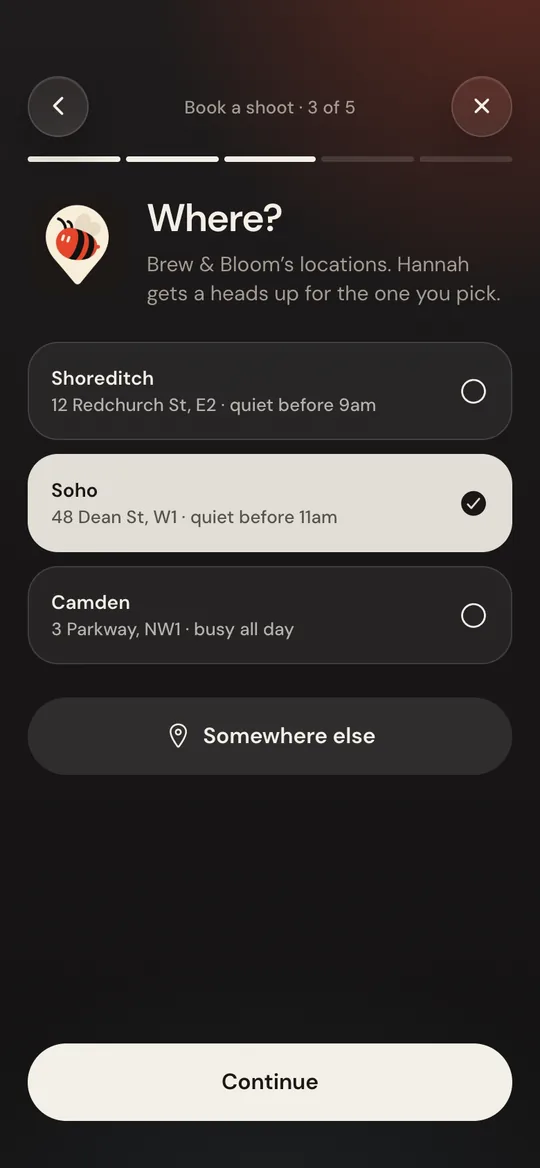
Five short steps instead of twenty messages
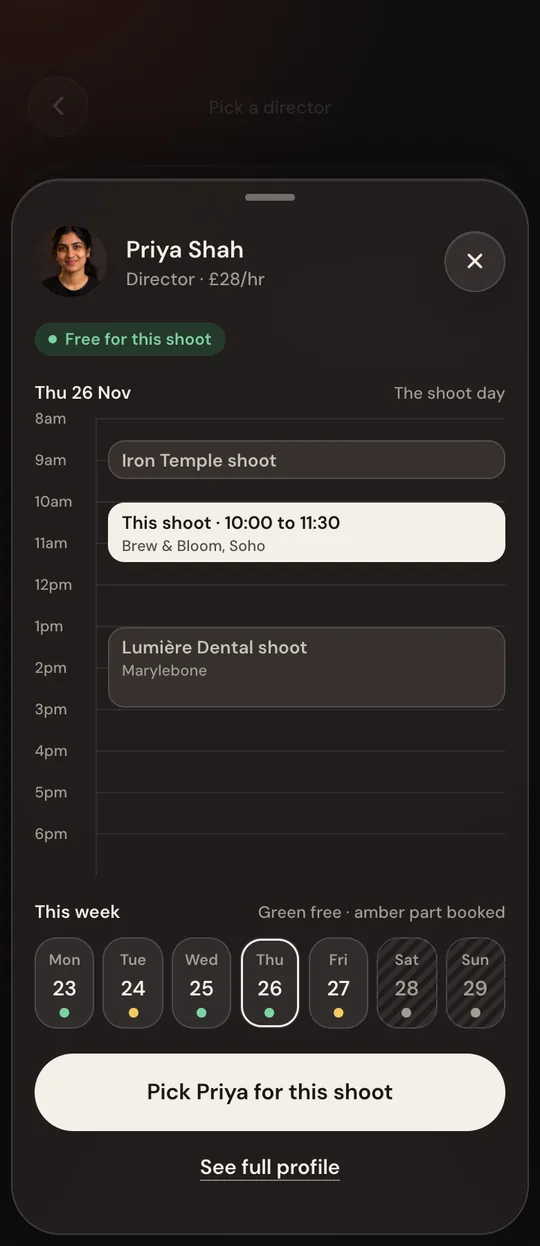
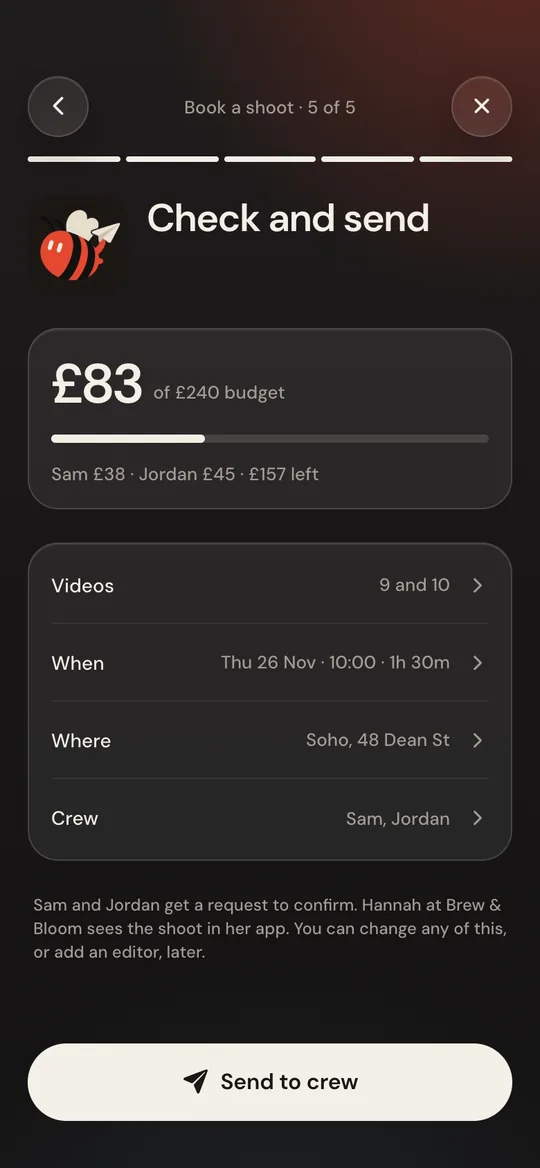
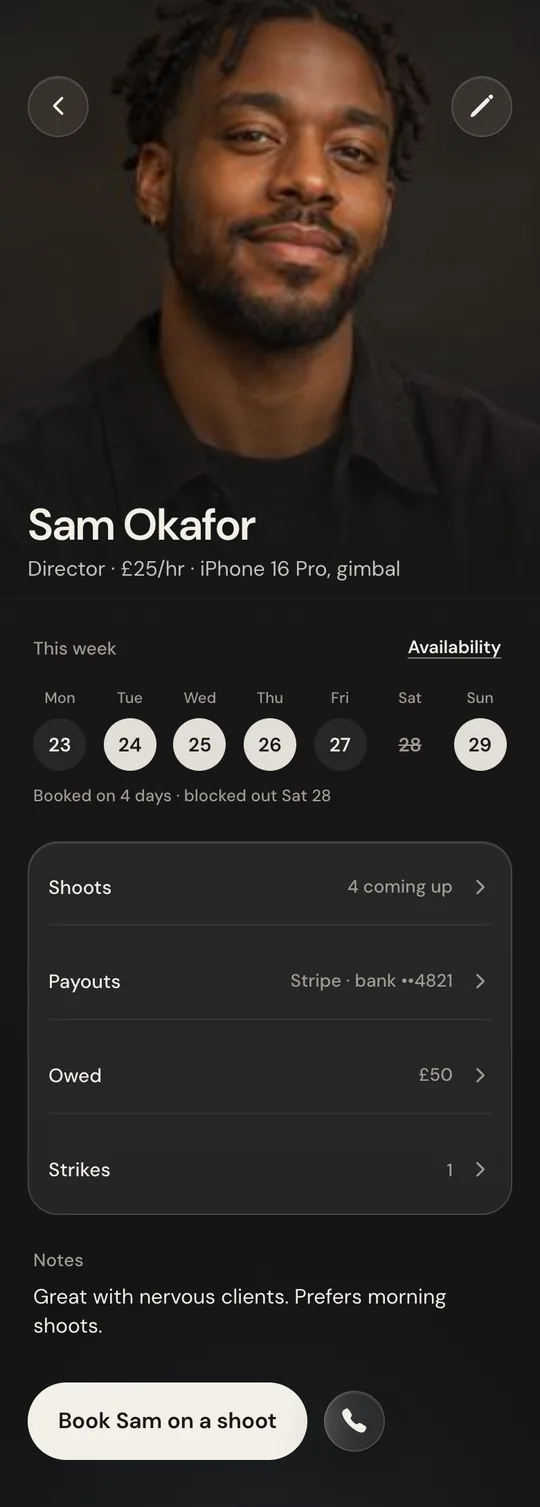
Pick the videos, the time, the place and the crew. Director availability is shown inside the picker, so you never book someone who is busy.
Dense records, still readable
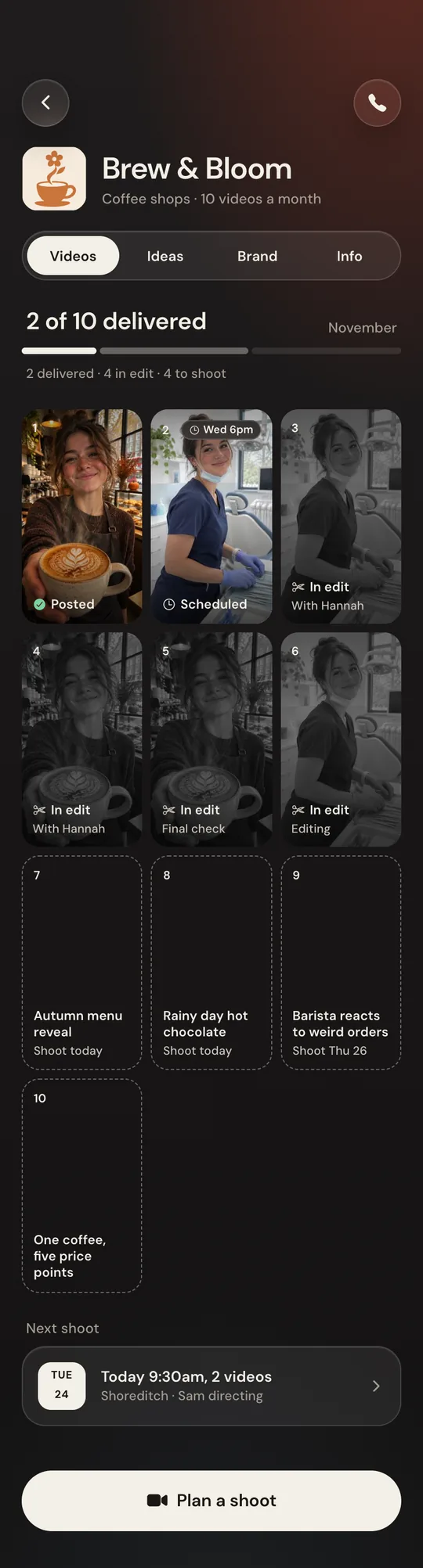
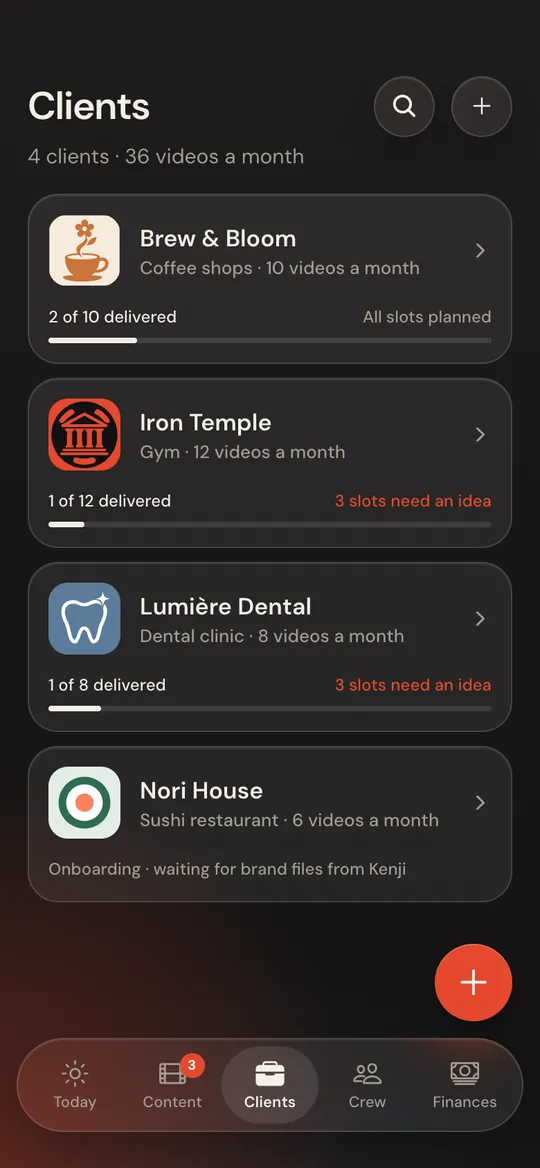
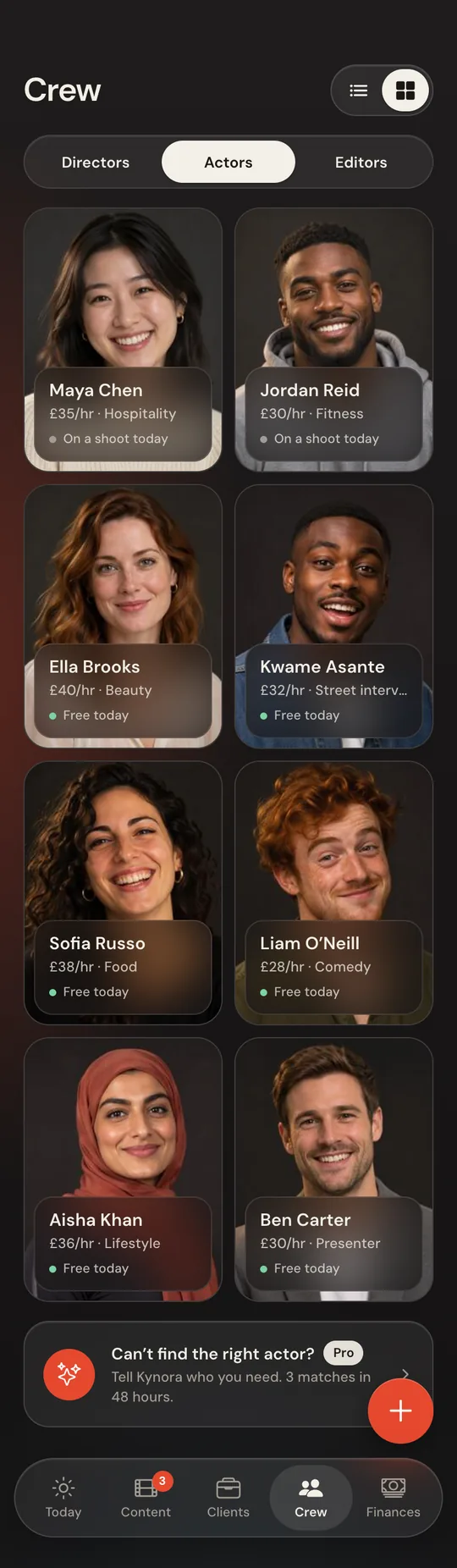
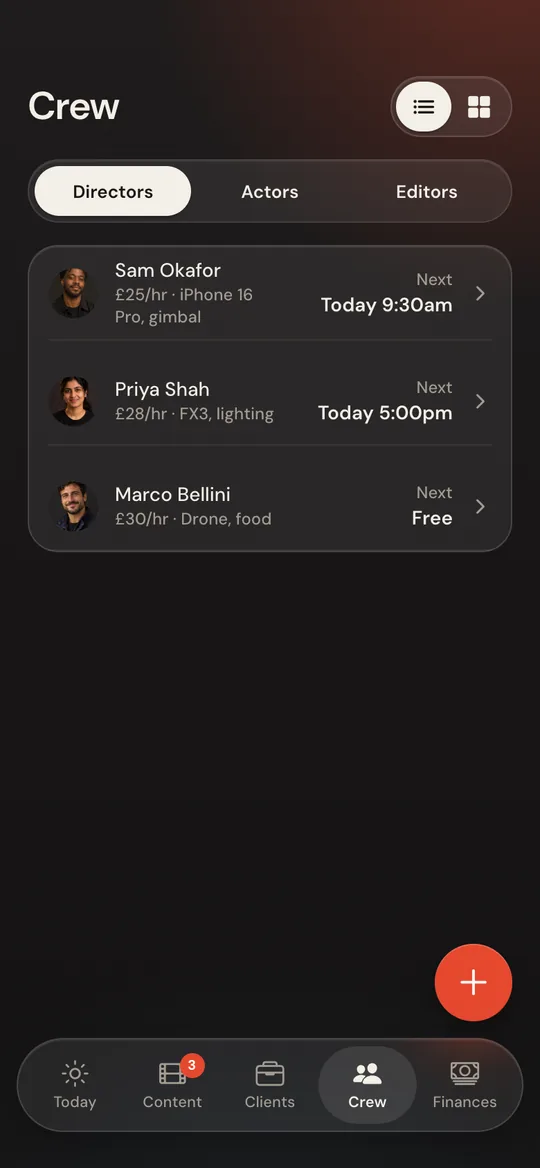
Each client card shows its monthly progress bar and what is blocking it. Crew can be scanned as cards or a list, and every person has a profile with their roles, shoots, availability and payouts.
- Progress bars use red only for things that need action (“3 slots need an idea”).
Margin, payouts and invoices on one screen
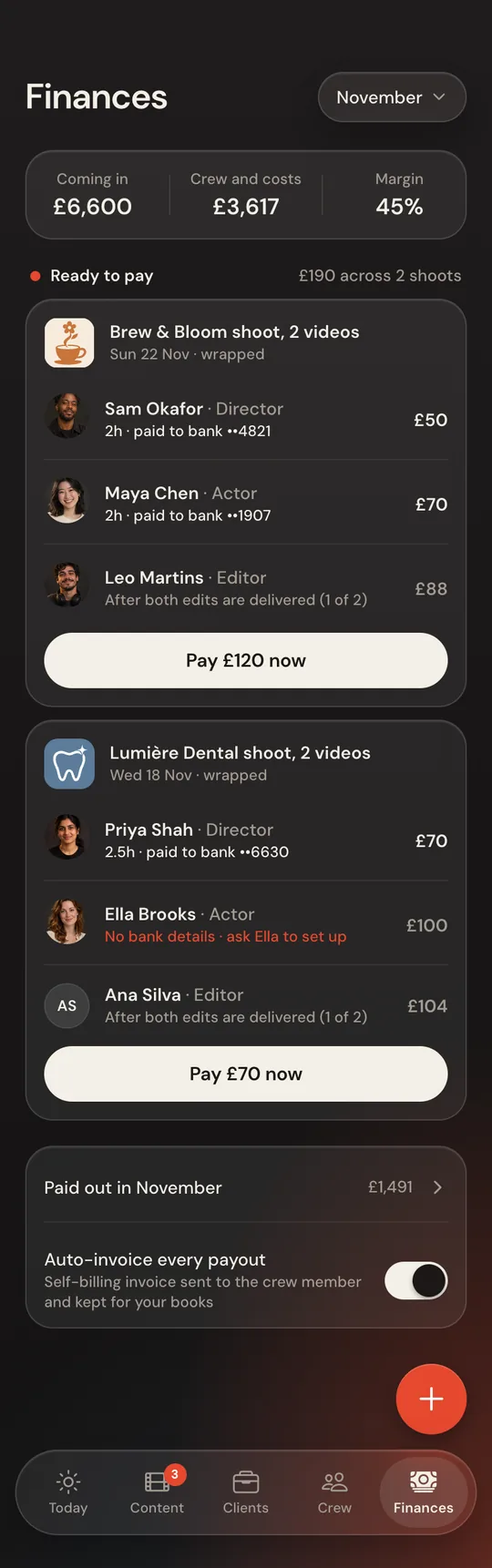
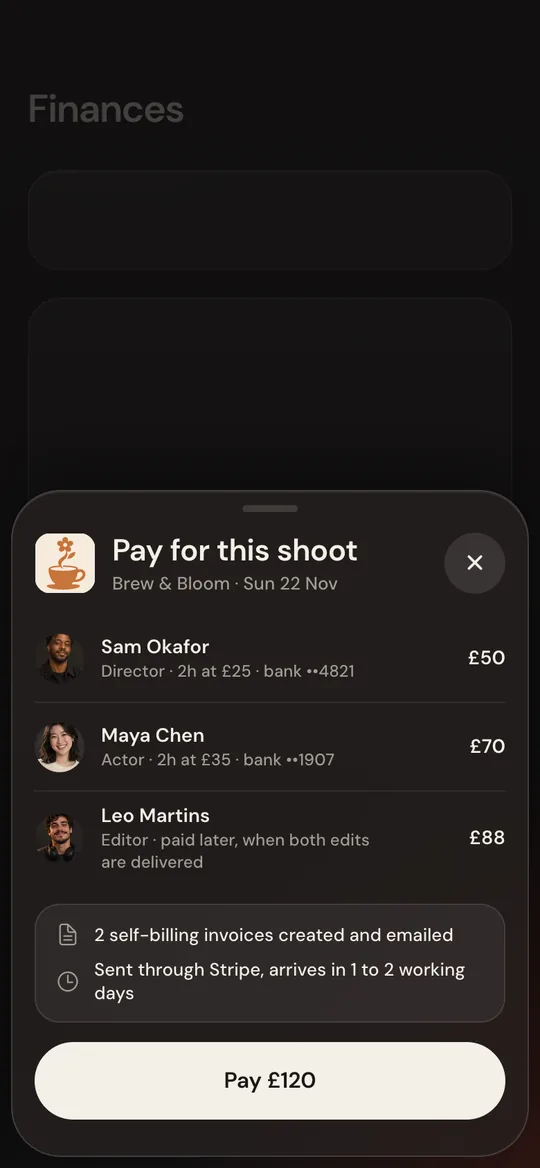
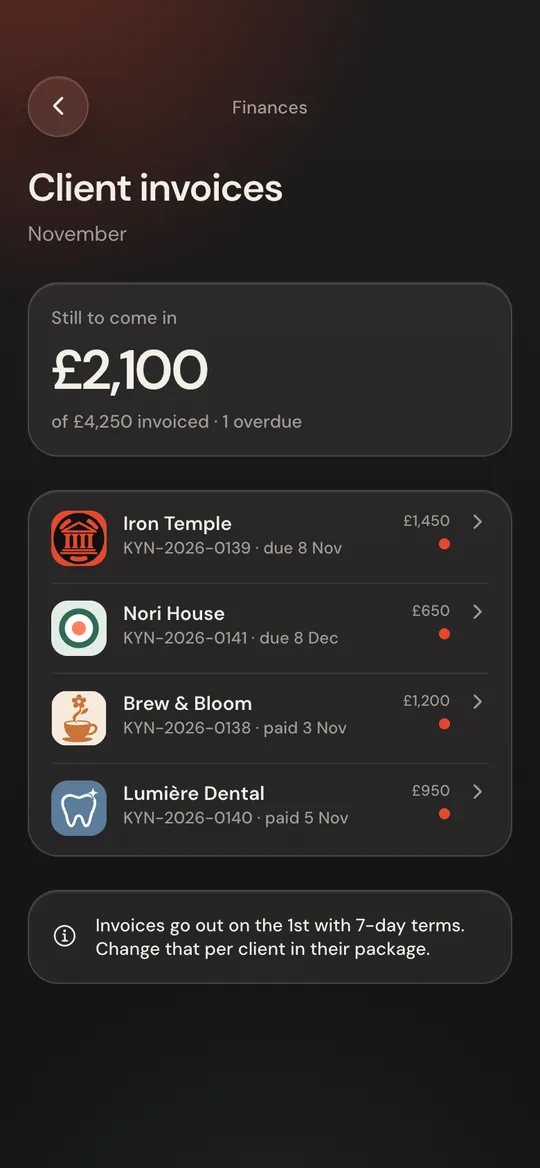
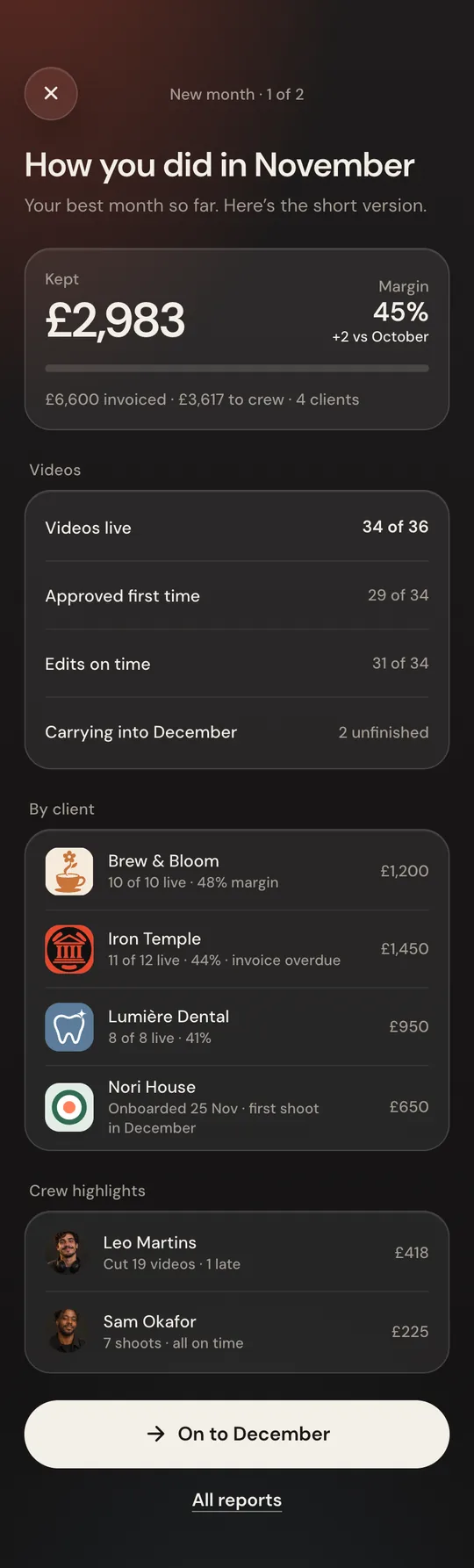
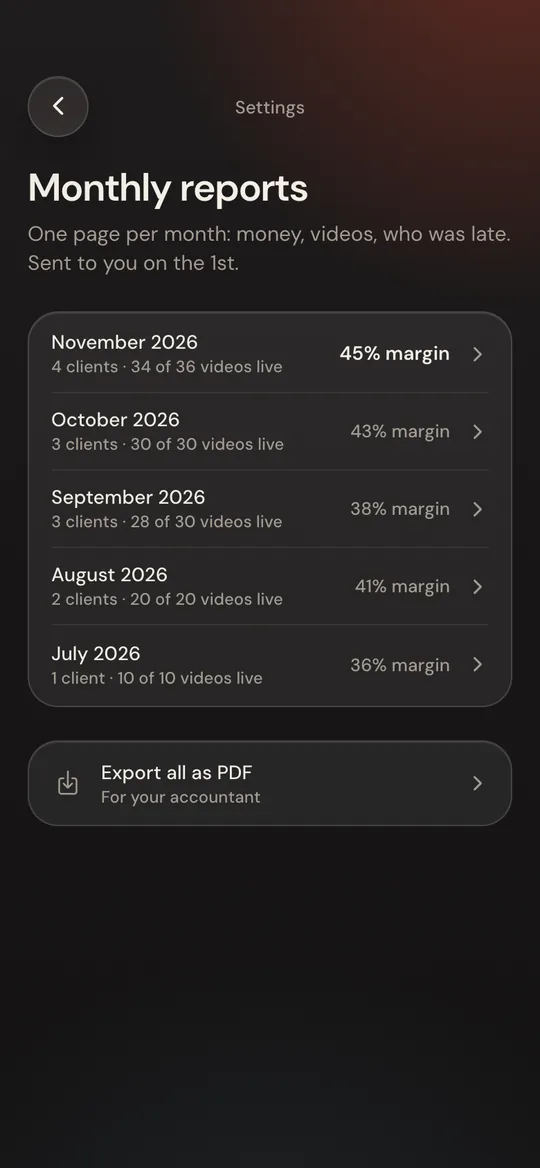
Finances shows coming in, crew costs and margin up top, then each wrapped shoot with who is owed what. One button pays the crew, and self-billing invoices are generated automatically.
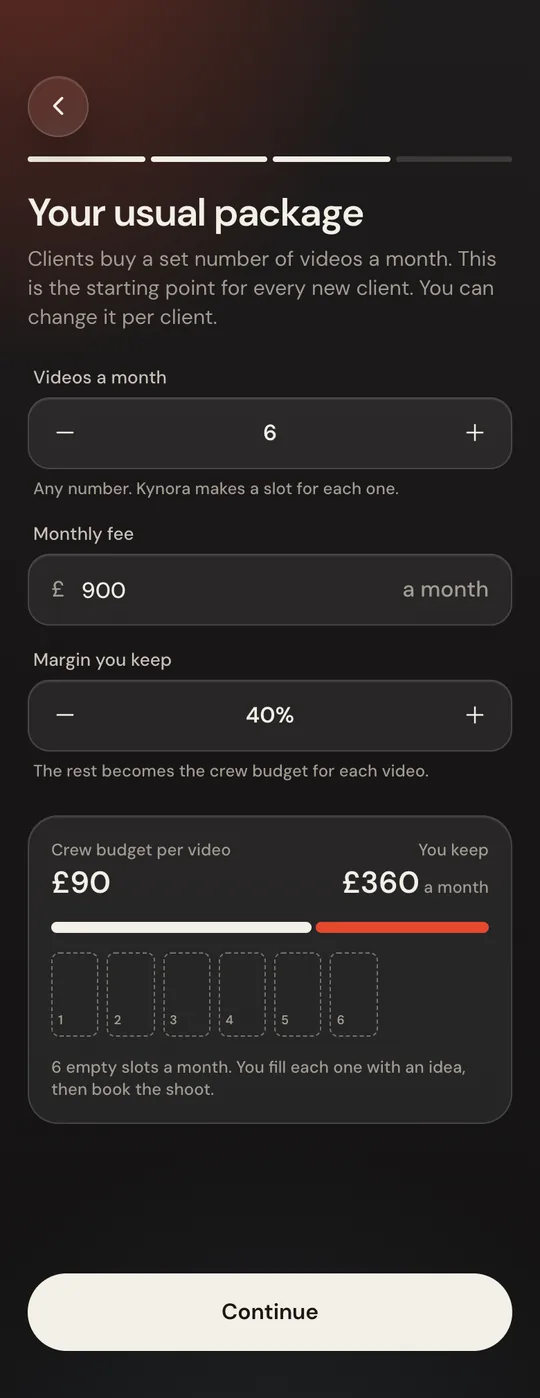
Set up an agency in four steps
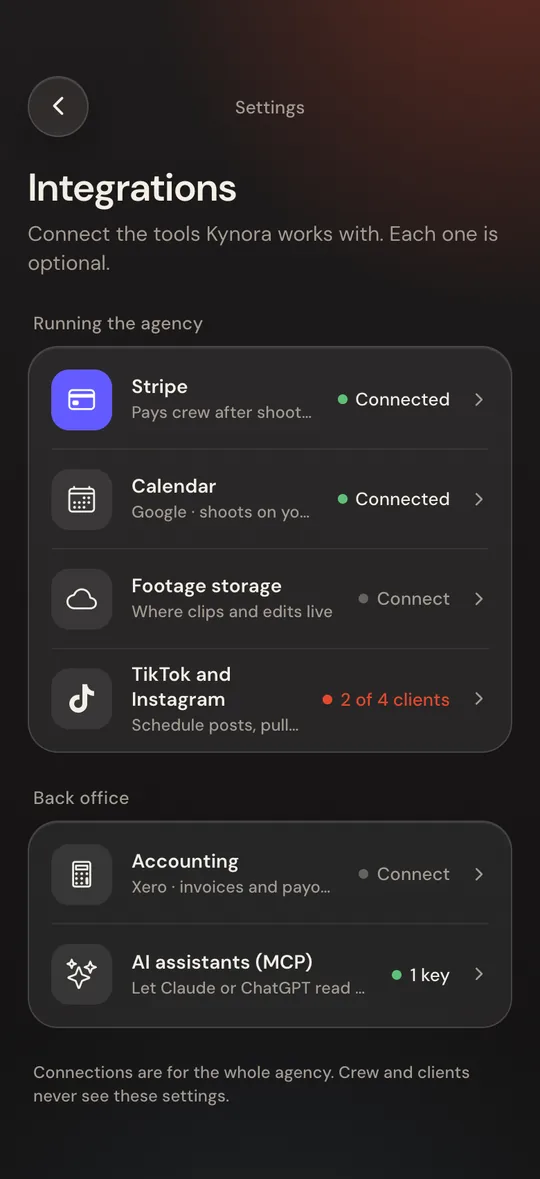
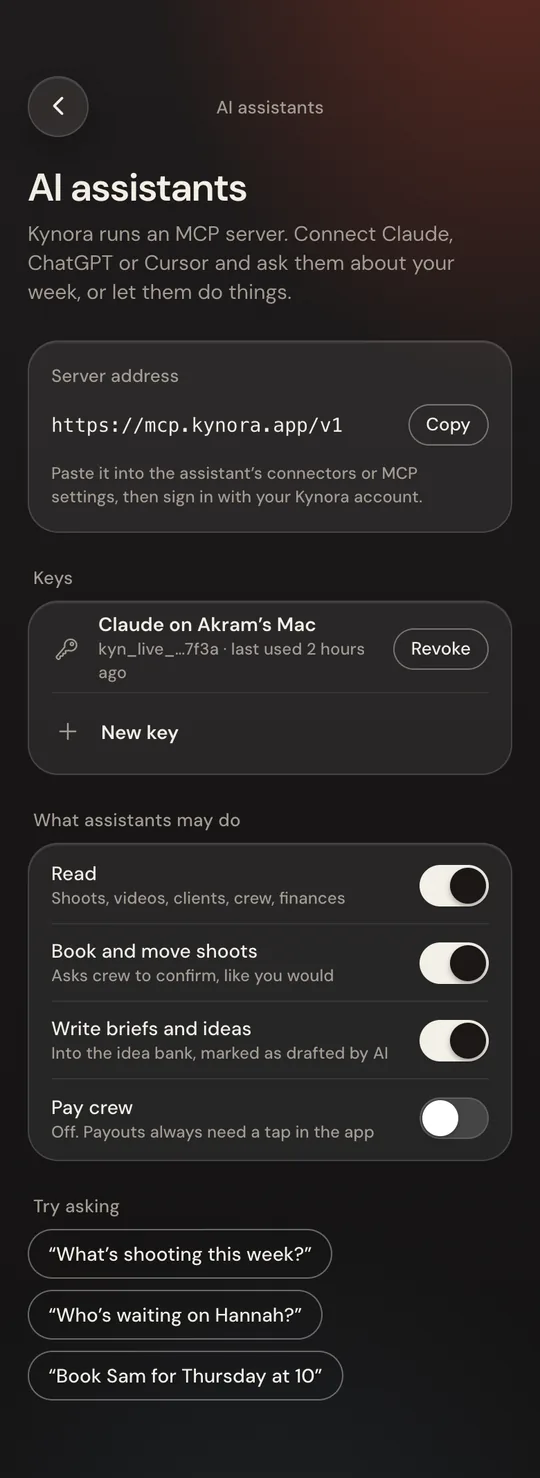
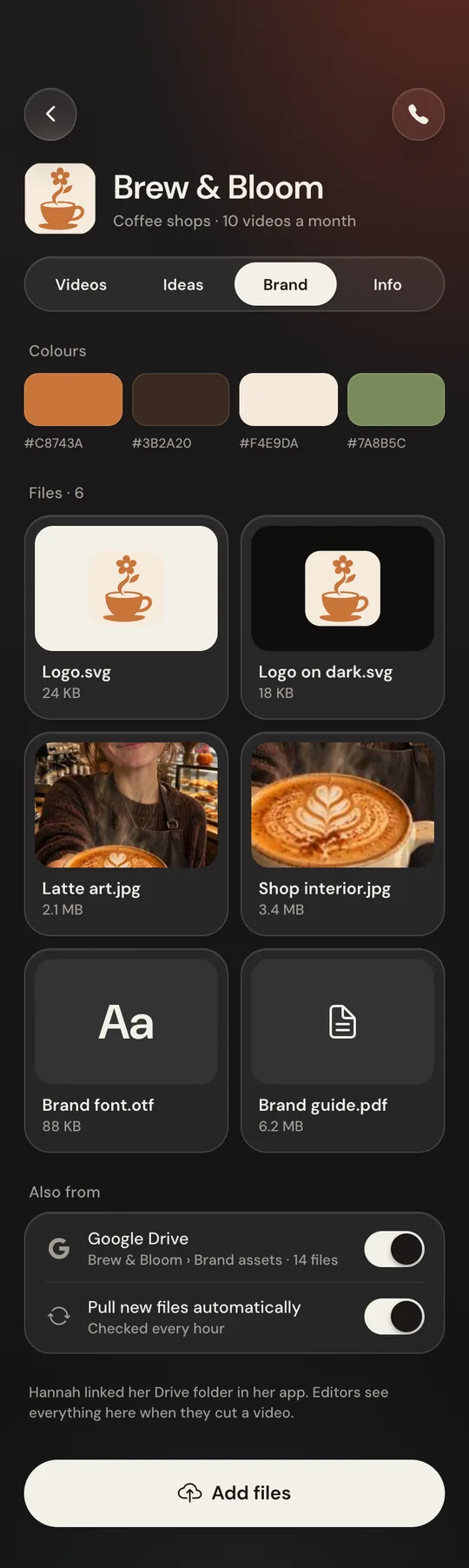
A short setup captures you, your agency, your usual package and your notifications, then hands over a first-steps checklist. Integrations connect TikTok, Instagram, Stripe, storage, calendars and AI assistants over MCP.